Full case studies, not just screenshots: the brief behind each build, how we approached the design and development, the technologies used, every feature delivered, and what is live today.
ORBIT / AI ASSISTANT
Orbit
A live AI assistant, built by Master Coder.
Orbit helps visitors explore our services, understand the project process and find the right page—all through a conversation on this website. This is our own working product, not a client commission.
BUILD TYPEMaster Coder product
STATUSLive website assistant
LANGUAGEEnglish and French
STACKJavaScript · Supabase · Groq
Live on this website
Meet Orbit
Your first step into the Master Coder studio.
The challenge
Make a growing website easier to explore without asking visitors to search every page. The assistant needed to explain the studio’s services clearly and direct project enquiries to the right next step.
What we built
A branded chat interface with responses that appear progressively, without reloading the page.
English/French replies and links to services, portfolio examples, booking and contact.
A server-side AI integration with protected API credentials and a website-information fallback.
A visitor experience focused on Master Coder’s published information.
Live demo
Ask Orbit something now.
The conversation below is the same live assistant used across this website. Pick a starter question or type your own to see how Orbit explains services and routes project enquiries.
Live AI answers can be imperfect. Project scope, pricing and commitments are confirmed directly with Master Coder.
Explore the working product
Try Orbit here to ask about Master Coder. AI responses can be imperfect; project scope, prices and commitments are confirmed directly with the studio.
About these case studies. Boutique Grace, Fleuve Congo and Excellence are Master Coder sector demo builds — complete products we designed and developed to show what a boutique, restaurant or school website can do. They are not client commissions, and the names, catalogue items, quotes and figures inside them are sample demo content. Each study below documents the real brief we set, the process, the stack, the features that are live, and the outcome we can actually verify. We do not attach invented client metrics to them.
CASE STUDY 01 — FASHION RETAIL
Boutique Grace Gombe
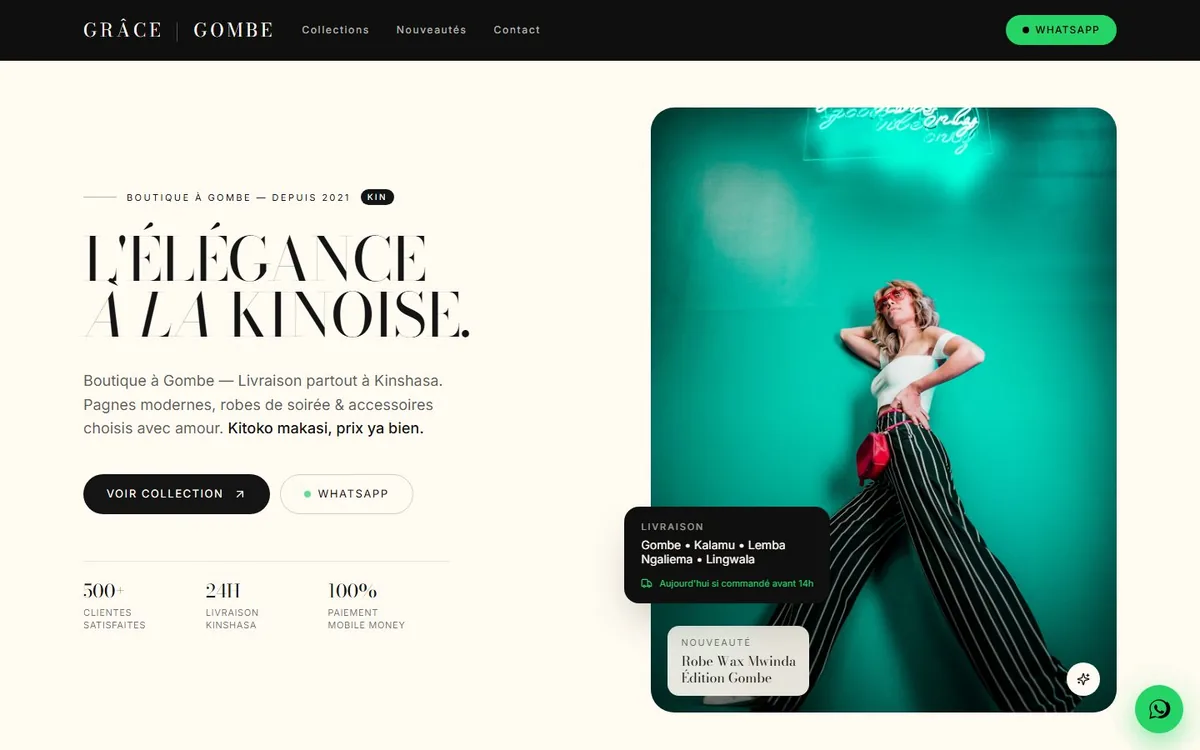
A mobile-first boutique storefront for a Kinshasa fashion label — collection browsing, prices in USD and CDF, delivery zones, and an order path that starts and ends in WhatsApp.
BUILD TYPESector demo · storefront
LOCATIONGombe, Kinshasa
LANGUAGEFrench with Lingala
STACKReact · Tailwind · Firebase
Homepage of the live demo, captured at 1440 × 900. The hero leads with the collection, delivery promise and a direct WhatsApp action.
The brief
A small boutique in Gombe sells pagnes, evening dresses and accessories through social media and WhatsApp. The problem is not adding a card checkout — it is presenting the collection clearly, answering delivery questions before they are asked, and making an order feel like one message instead of a form. The brief for this demo was to build the storefront a Kinshasa boutique could actually run: no backend, no payment gateway, no account creation, and a complete buying path on a phone.
Features delivered
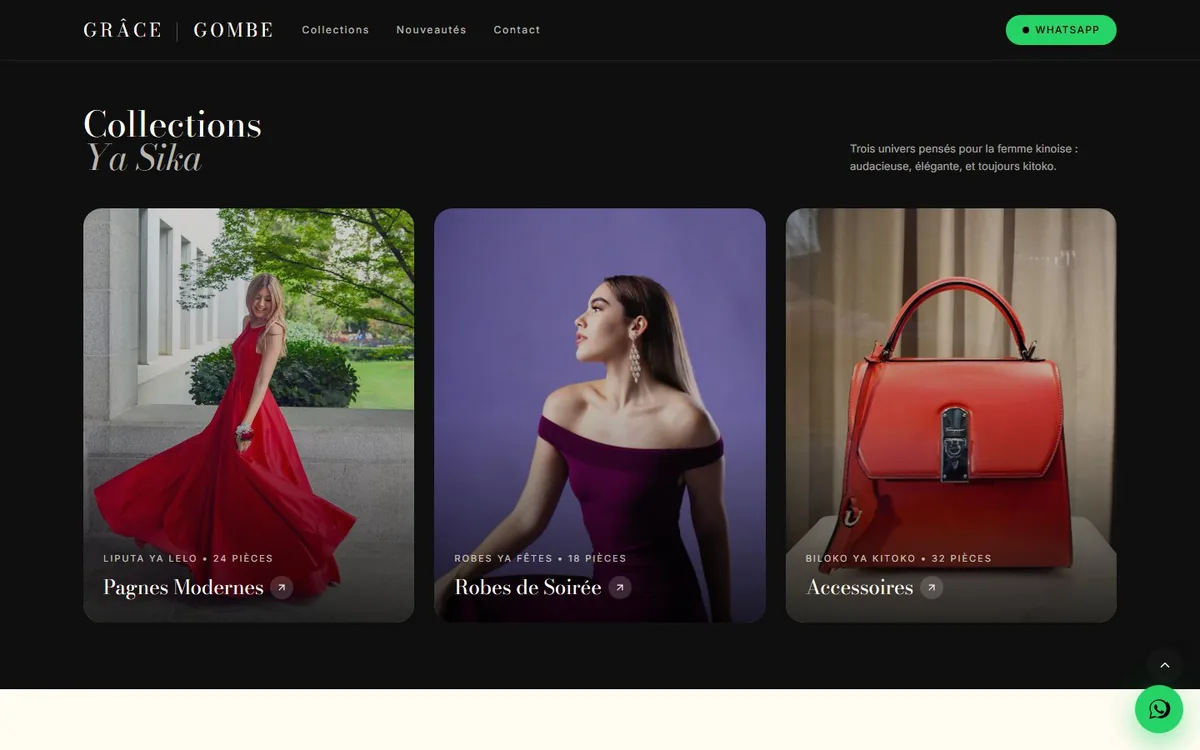
Single-page catalogue with three collection cards: pagnes, robes de soirée and accessoires
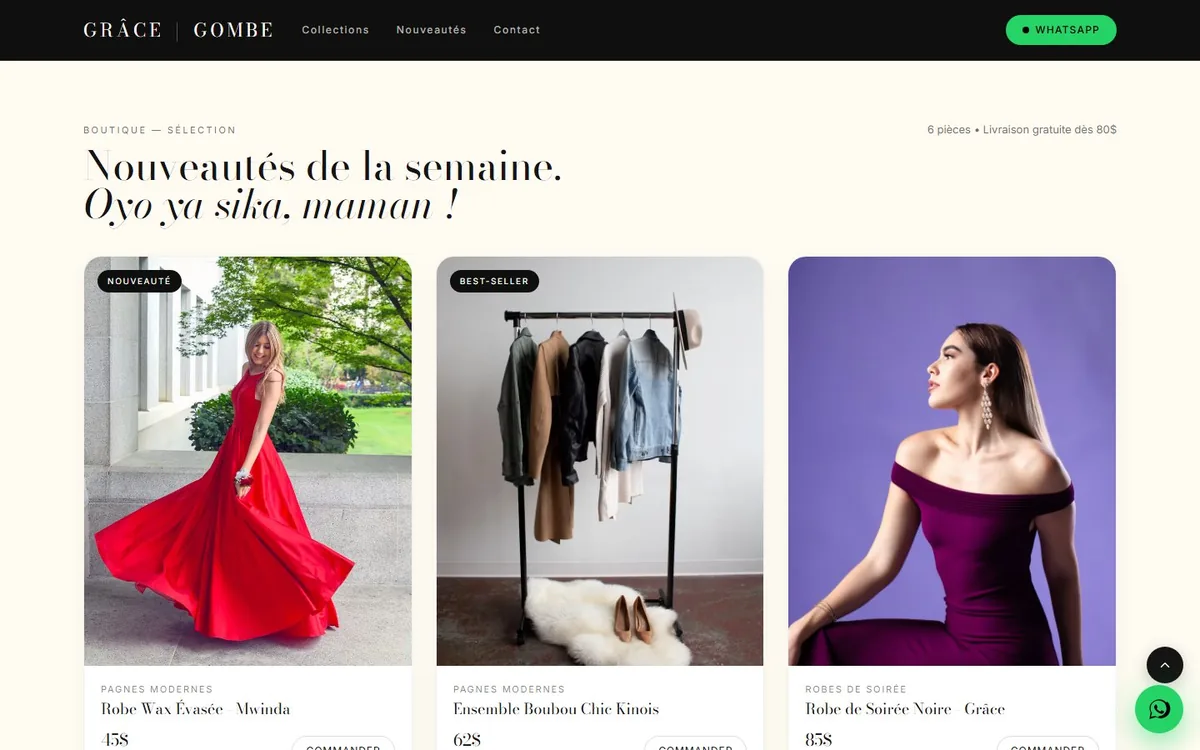
Six-product “Nouveautés” grid with photography, labels and dual-currency pricing
USD and CDF prices displayed together on every product
Per-product WhatsApp order links with the item name and price already written into the message
Floating WhatsApp helper available throughout the page
Delivery zones, same-day cutoff and free-delivery threshold content
Payment reassurance copy covering Mobile Money
Testimonials, Instagram, phone and Google Maps links
Responsive layout tested from 390px up to desktop
Design and development process
01 / PATHMap the buying journey
Reduce the storefront to one clear route: collection → piece → price → WhatsApp. Put delivery and payment reassurance early so questions do not block the order.
02 / DESIGNSet the visual language
Warm ivory on charcoal, an editorial serif for headlines, and Kinois phrasing in the copy. Product photography stays dominant; decoration stays out of the way.
03 / BUILDBuild the catalogue
Create the collection cards, a six-product selection grid, and price formatting in both USD and CDF — all in one responsive React page.
04 / LAUNCHWire ordering and test
Generate prefilled WhatsApp links per product, add the floating helper and delivery section, then test at phone and desktop widths before deploying to Firebase Hosting.
Technologies used
ReactTailwind CSSFirebase HostingWhatsApp deep linksGoogle Maps linksResponsive CSS
Screenshots from the live build
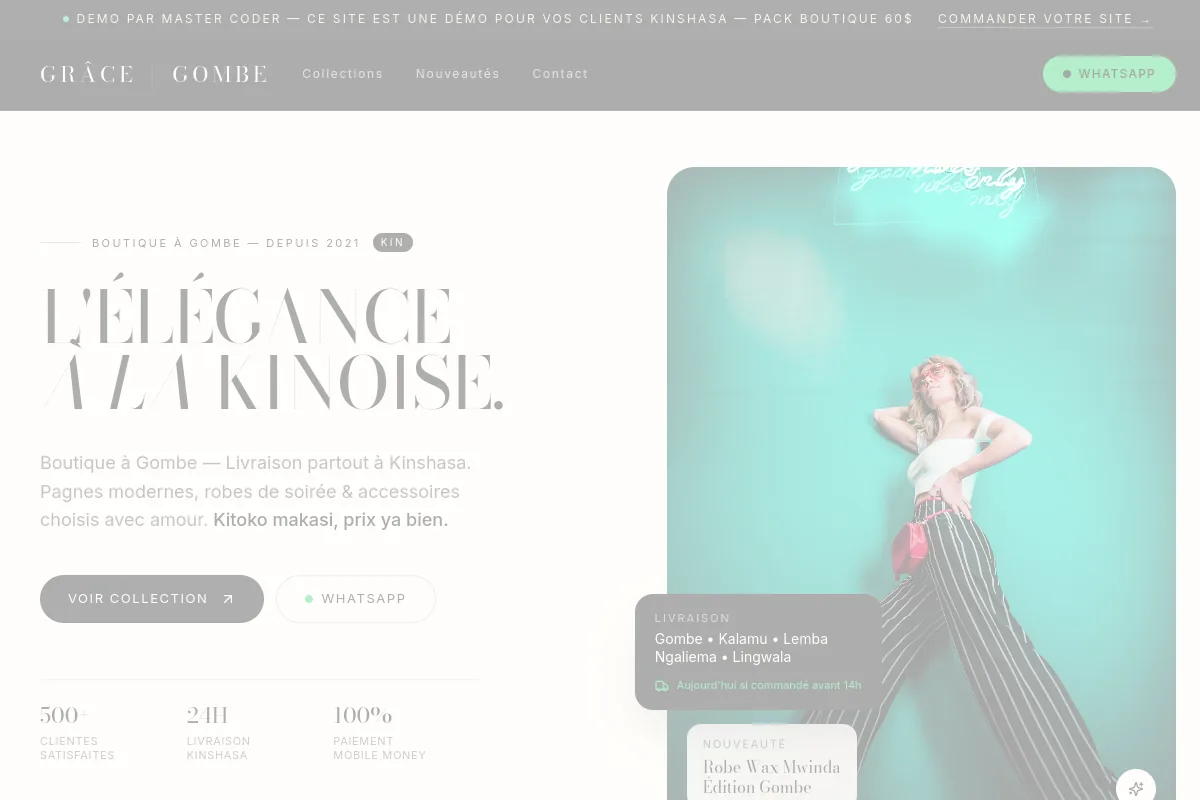
Collections: three categories, each with its own piece count and visual identity.Product selection: photography, labels, USD and CDF prices, and one-tap ordering.Desktop overview of the complete storefront.
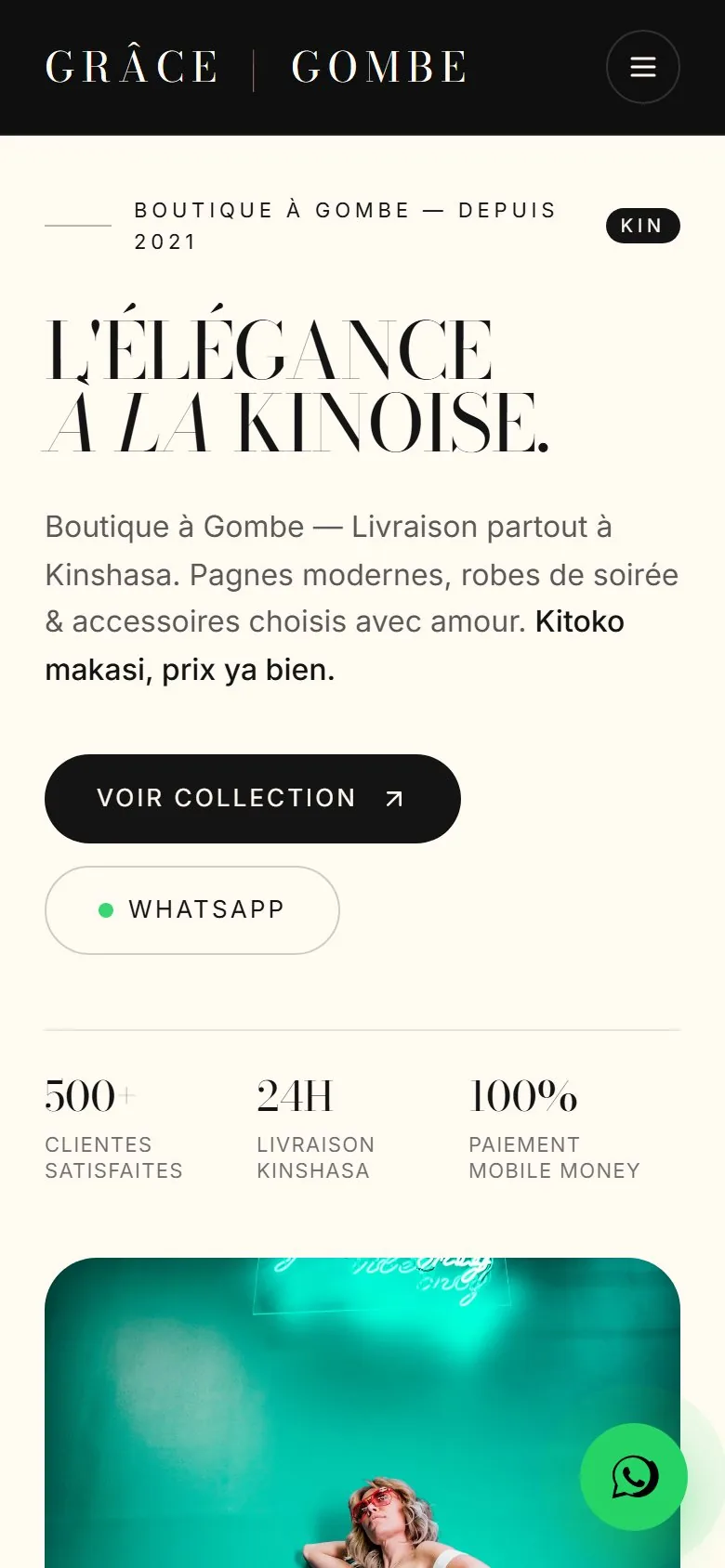
Mobile view · 390px
The storefront was designed phone-first. The headline, primary action and WhatsApp helper remain reachable without zooming, and the product grid reflows to a single readable column.
Outcome
Live and publicly accessible at boutique-grace-gombe.web.app. The complete journey works without a backend: a visitor browses the collection, chooses a piece, and opens WhatsApp with the item and price already in the message. Delivery zones and payment reassurance are part of the same page.
Because this is a sector demo, the catalogue, prices and testimonial quotes are sample content; no sales, traffic or conversion figures are claimed here. The verifiable result is the build itself — a complete, responsive storefront that a boutique could hand to customers without maintaining a server.
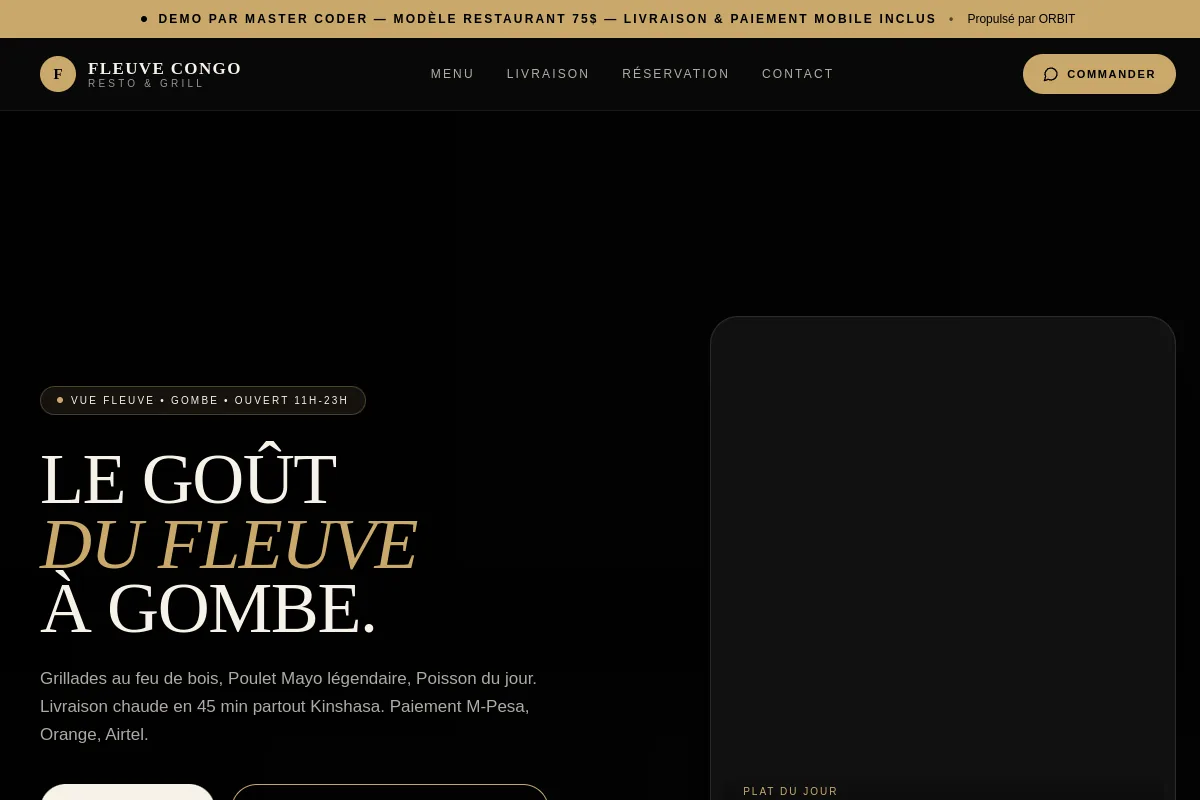
A restaurant site built around appetite and action: the grill menu, transparent delivery zones and fees, and a reservation request that arrives in WhatsApp with every detail filled in.
BUILD TYPESector demo · restaurant
LOCATIONGombe, Kinshasa
LANGUAGEFrench with Lingala
STACKReact · Tailwind · Firebase
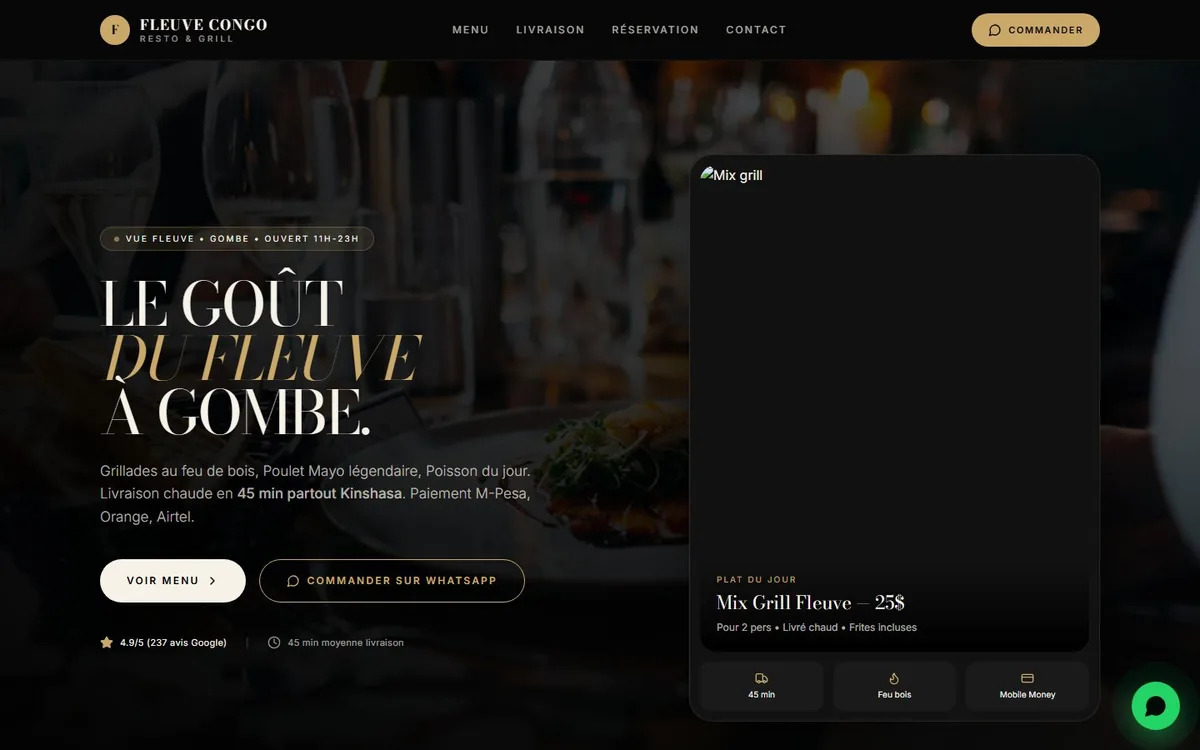
Homepage of the live demo, captured at 1440 × 900. Fire, smoke and plated food establish the restaurant before the first scroll.
The brief
A Gombe grill house needs a site that does two jobs in the first screen: make people hungry and tell them exactly how to order. Menus are often buried in PDFs, delivery fees are unclear, and reservations happen in direct messages with missing details. This demo answers that with a menu-first page, transparent delivery terms, and a structured reservation form that produces a complete WhatsApp request. The goal was a site a small restaurant team could operate without a booking system or payment integration.
Features delivered
Menu-first homepage with a full-width grill hero and six popular dishes
USD and CDF prices shown together on the menu
Per-dish “add to order” WhatsApp links
Three-step ordering explainer: choose, order on WhatsApp, receive delivery
Delivery zone table with fees and estimated times
Group quote request through WhatsApp
Reservation form collecting party size, date, time and phone number
Reservation requests delivered as a structured WhatsApp message
Opening hours, Instagram and Google Maps links
Responsive layout tested from 390px up to desktop
Design and development process
01 / APPETITELead with the food
Put the grill, the smoke and the plated dishes first. The menu is the product, so it starts on the homepage instead of hiding behind a PDF link.
02 / CLARITYMake ordering explicit
Add a three-step explainer and a WhatsApp action beside every dish, so a first-time visitor knows what happens after the click.
03 / FRICTIONRemove delivery doubt
Publish zones, fees and estimated times in one table, and give larger groups a separate quote route instead of forcing them through a single-order flow.
04 / LAUNCHBuild the reservation flow
Collect party size, contact, date and time, then compose a complete WhatsApp message. Test the form, mobile spacing and every link before deploying.
Technologies used
ReactTailwind CSSFirebase HostingWhatsApp deep linksForm handlingGoogle Maps links
Screenshots from the live build
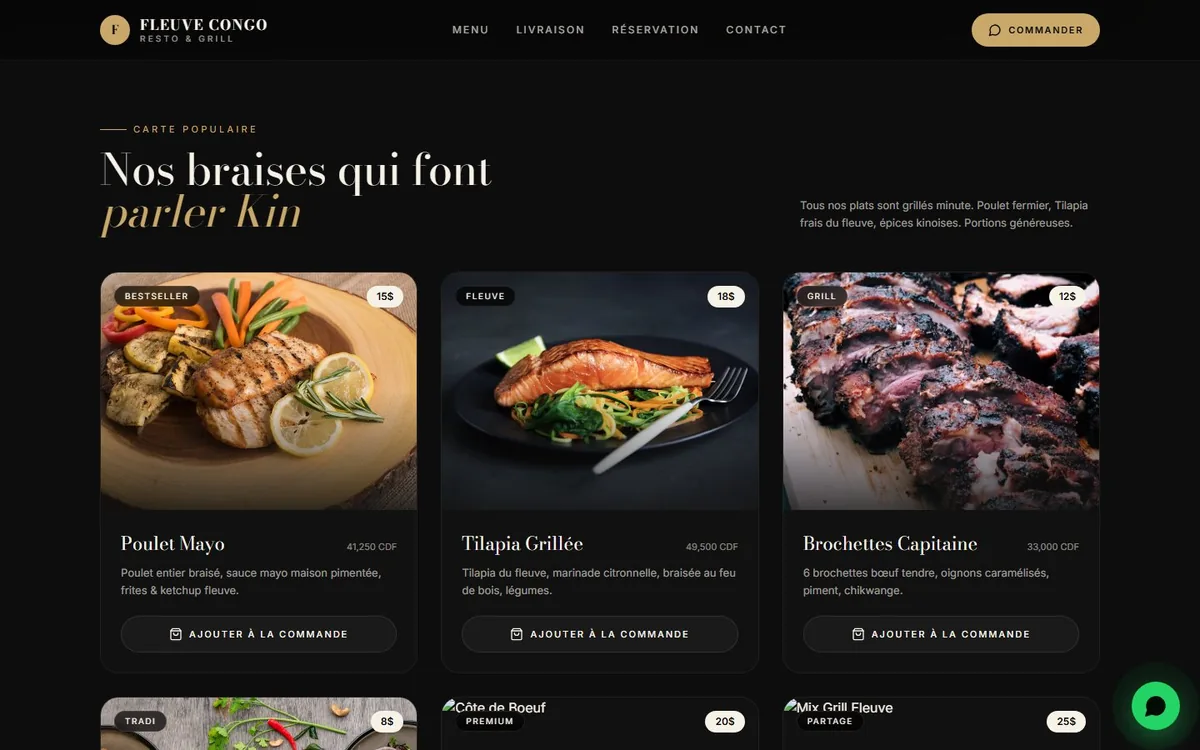
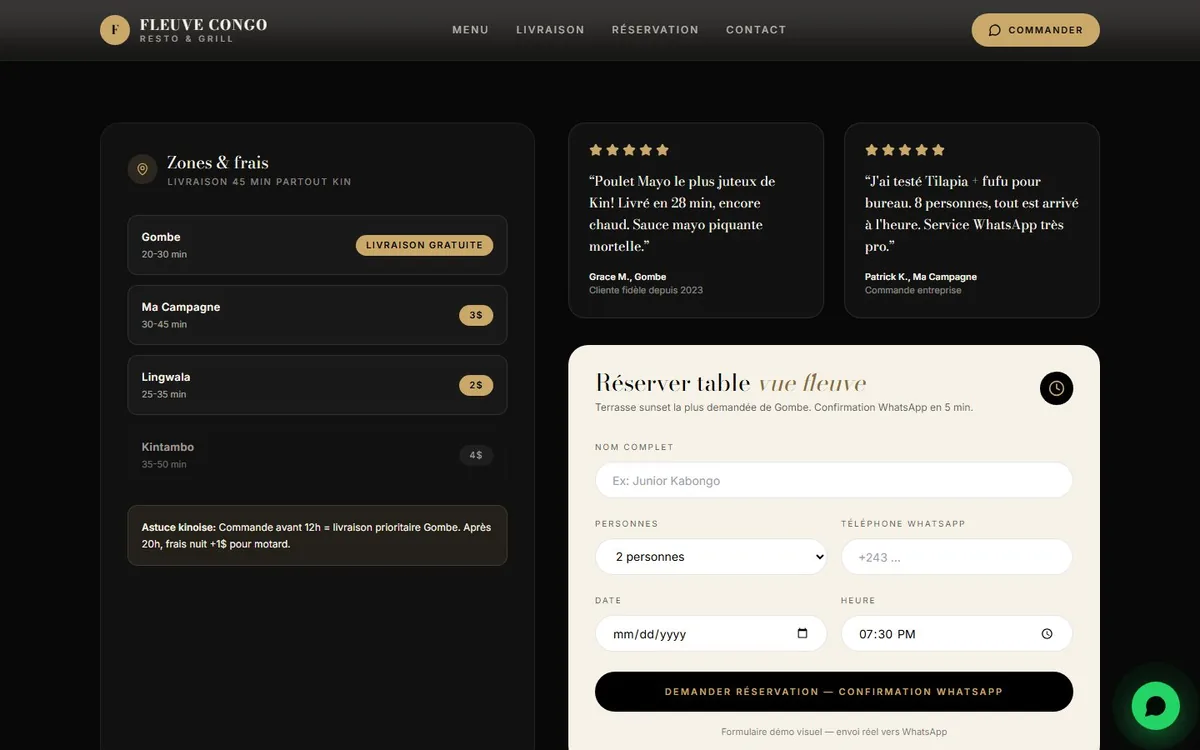
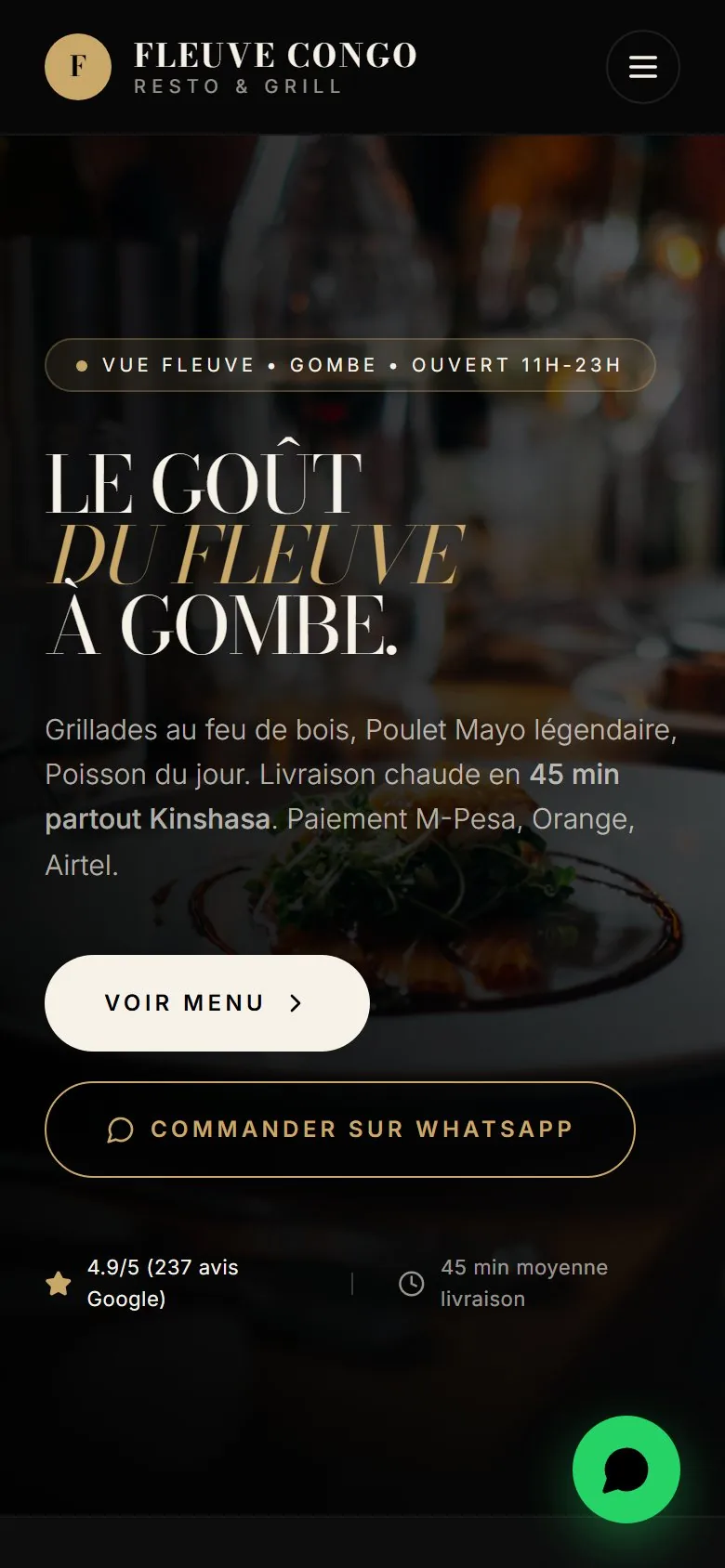
Menu section: six grilled dishes, dual-currency prices and per-dish ordering.Delivery section: zones, fees and estimated times stated before the customer commits.Desktop overview of the restaurant website.
Mobile view · 390px
Most orders start on a phone. The mobile layout keeps the menu readable, the WhatsApp action visible and the delivery details scannable without horizontal scrolling.
Outcome
Live and publicly accessible at the-king-61528.web.app. Ordering and reservations both complete inside WhatsApp: dish links carry the item and price, and the reservation form produces a message with party size, date, time and contact details. No payment gateway or booking database is required.
The demo prices, delivery fees, opening hours and review quotes are sample content, not a real restaurant's commercial data. The verifiable delivery is the working flow — menu, delivery terms, group quote and reservation handoff — in one responsive page.
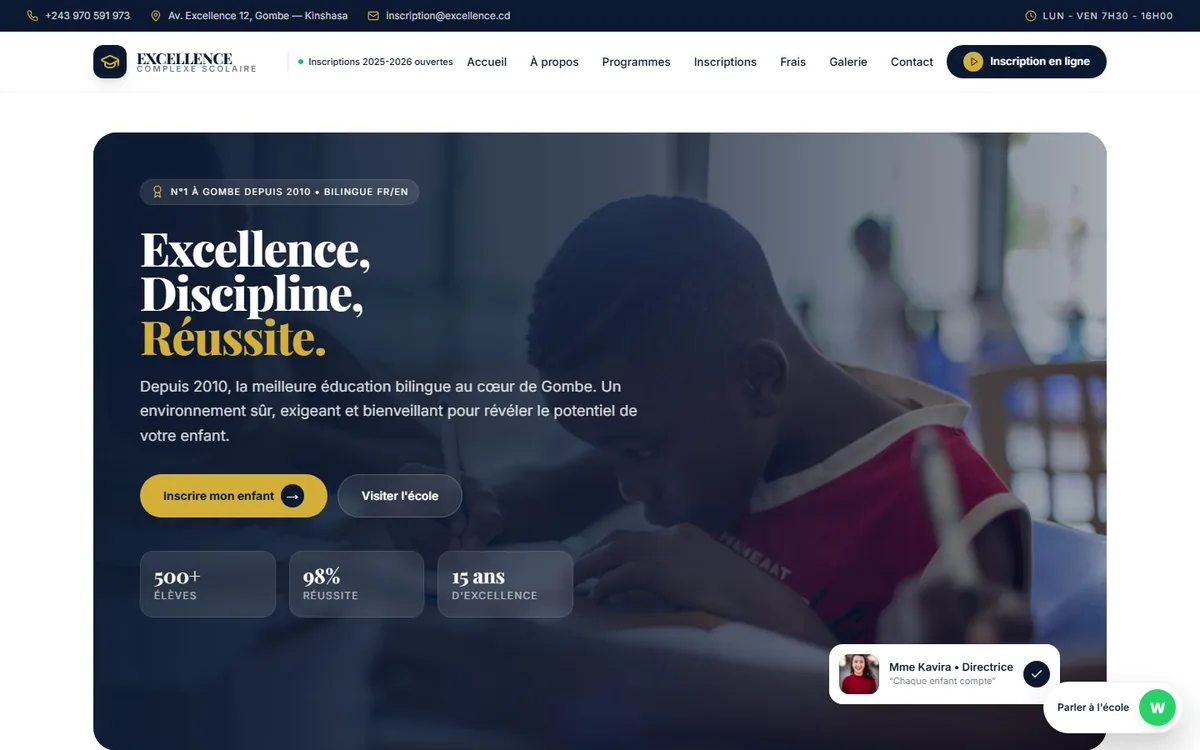
A school site designed to move parents from questions to a pre-enrollment conversation — age-based programs, a transparent fee table, transport and FAQ answers, and a structured WhatsApp handoff.
BUILD TYPESector demo · school
LOCATIONGombe, Kinshasa
LANGUAGEFrench-first, FR/EN identity
STACKReact · Tailwind · Firebase
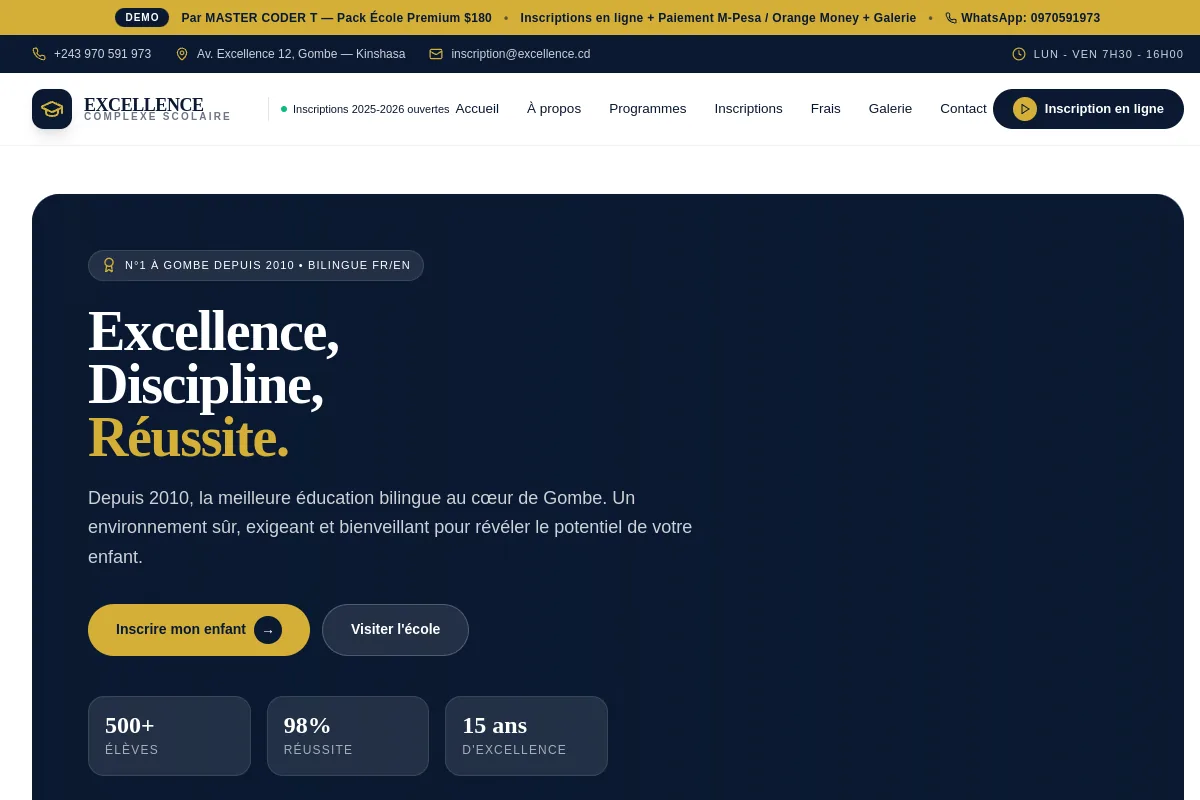
Homepage of the live demo, captured at 1440 × 900. The school's promise leads, with enrollment and visit actions beside it.
The brief
A school in Gombe answers the same questions every enrollment season: fees, transport, entry tests, hours and which class fits which age. Parents need a clear path from “is this school right for my child?” to “how do I start enrollment?”. This demo builds that path: age-based programs, a transparent fee table, a four-step enrollment guide, an FAQ, and a prefilled WhatsApp pre-enrollment message. The school keeps its existing WhatsApp and mobile-money process; the site simply makes the next step obvious.
Features delivered
Bilingual FR/EN school identity with French-first parent-facing content
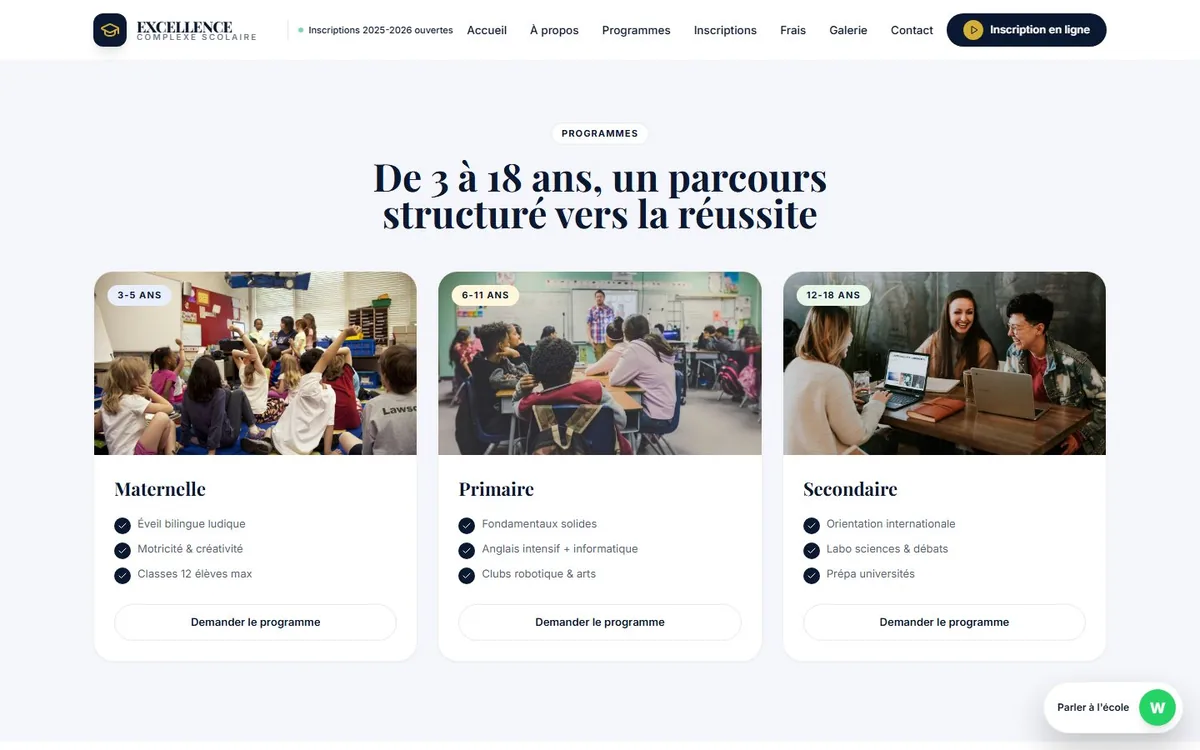
Program cards for Maternelle (3–5), Primaire and Secondaire
Transparent 2025–2026 fee table with USD pricing and the CDF exchange rate
Payment method guidance covering M-Pesa and Orange Money
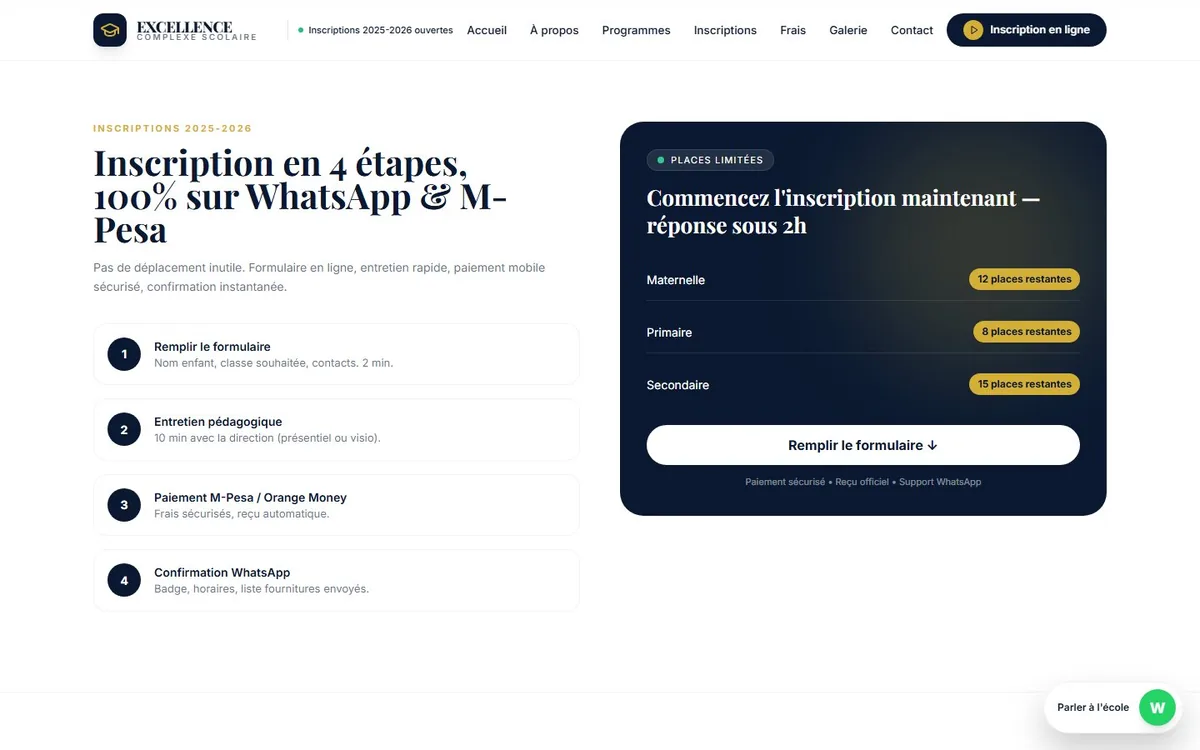
Four-step enrollment explainer built around WhatsApp and M-Pesa
Prefilled WhatsApp pre-enrollment message for parents
FAQ covering hours, CDF payments, entry tests and transport
Campus gallery and pedagogical team section
Gombe location card with a Google Maps link
Responsive layout tested from 390px up to desktop
Design and development process
01 / QUESTIONSStart with the parent
List the questions that decide an enrollment — age range, language, location, fees, transport, entry tests — and place the answers in the order a parent asks them.
02 / STRUCTURELay out the 3–18 path
Turn the school's levels into three clear program cards so a parent can find the right class without reading a prospectus.
03 / TRUSTMake fees and process visible
Publish the fee table, payment methods and a four-step enrollment sequence. Transparency removes the main reason parents delay contacting the school.
04 / LAUNCHSupport the decision, then hand off
Add the gallery, team, FAQ and location, then connect every enrollment action to a prefilled WhatsApp message. Test mobile layouts and deploy.
Technologies used
ReactTailwind CSSFirebase HostingWhatsApp deep linksResponsive CSSGoogle Maps links
Screenshots from the live build
Programs: the full 3–18 path divided into three readable stages.Enrollment: a four-step process, fees and the WhatsApp handoff in one journey.Desktop overview of the school website.
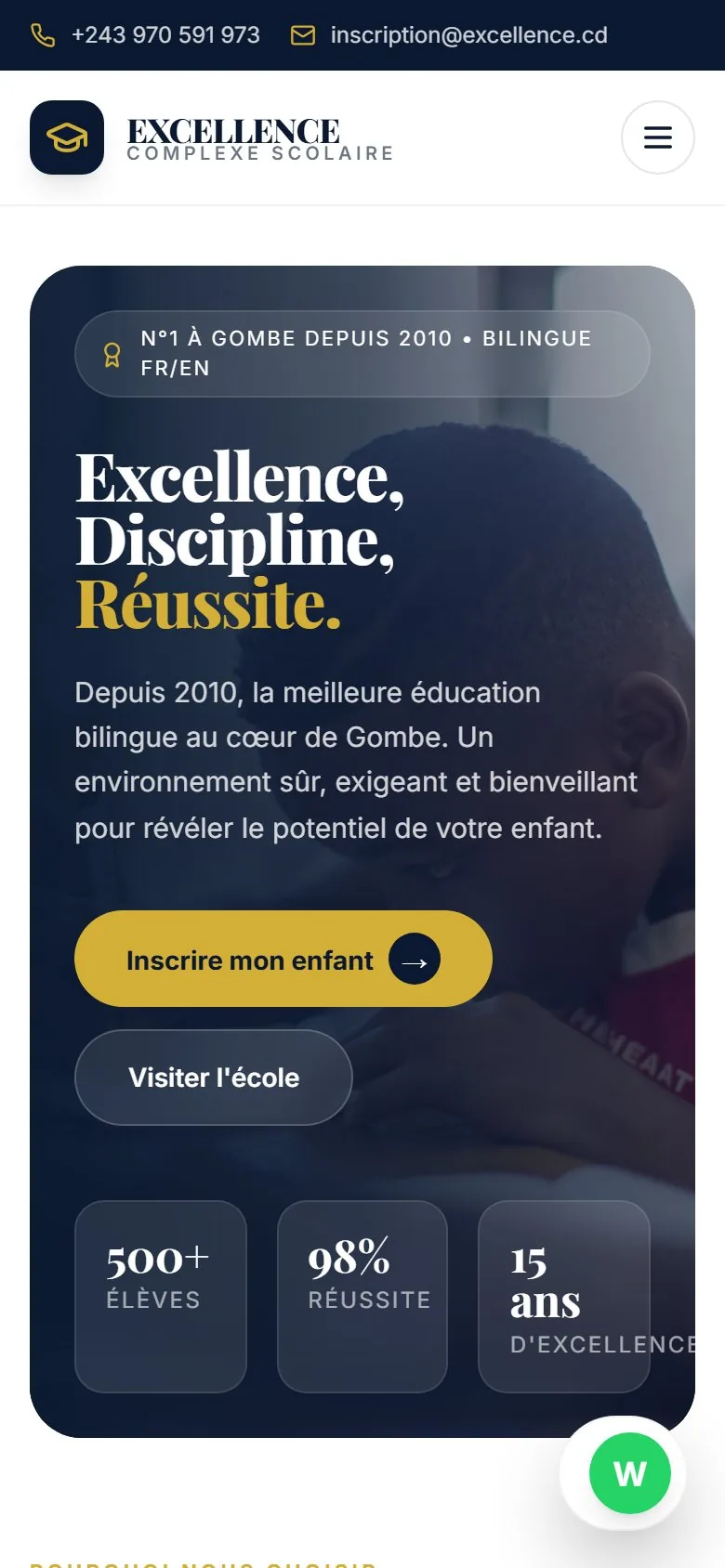
Mobile view · 390px
Parents often browse on a phone. The mobile layout keeps program names, fee information and enrollment actions legible, with the WhatsApp action never more than a short scroll away.
Outcome
Live and publicly accessible at mywatsapp-2d33b.web.app. A parent can move from programs to fees to the FAQ and then into a prefilled WhatsApp pre-enrollment message without creating an account or downloading a form.
The demo does not include an application database or payment processing; enrollment still completes through the school's WhatsApp and mobile-money process. Fee figures, team details and parent quotes are sample demo content, not a real school's records. The verifiable result is the complete parent journey and the build quality behind it.
Tell us what your business needs to do online. We will scope the right build, explain what it includes, and show you exactly how it will work before development starts.